How to import StudyMates into Knowt #
-
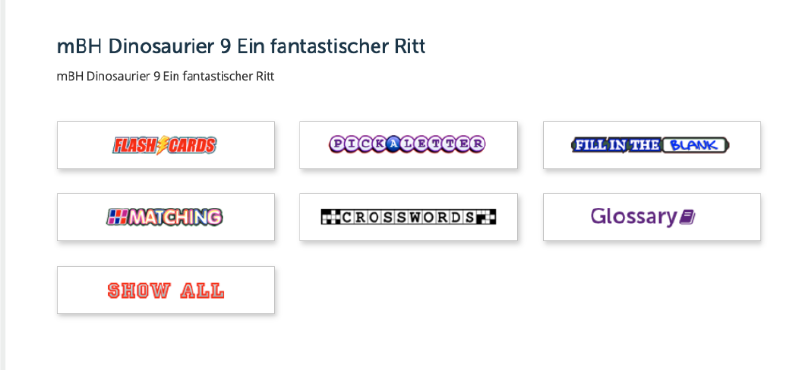
Go to the studymate you want to import, and click on the “Show all” option:
-
Copy all of the terms and definitions, and paste them directly into Gemini with a prompt like “take these vocab terms, and format them so that each pair of term and definition is on its own line, and each pair of Term and definition are separated by a semicolon” or a similar prompt adapted to your use case.
-
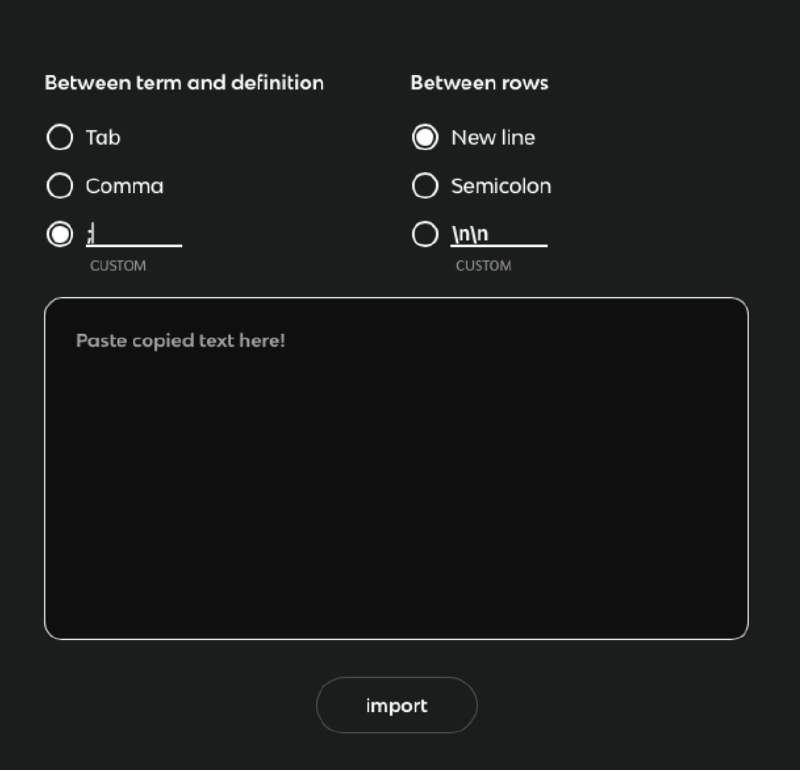
Then go to Knowt, click the plus icon in the top right corner of the website, then click “Import Manually”, and put the following settings:
-
Take the output from gemini, and paste into the “Paste copied text here” section, and click import.
The study mate should be fully converted into a Knowt.